%20(1200%20x%20280%20px).png?width=300&height=70&name=Kopio%20When%20a%20cough%20doesn%E2%80%99t%20sound%20right%20(300%20x%20150%20px)%20(1200%20x%20280%20px).png)
Doctors Guide to Register Omply Service as a Doctor
1. Log-in or create a new doctor profile: https://doctor.omply.com/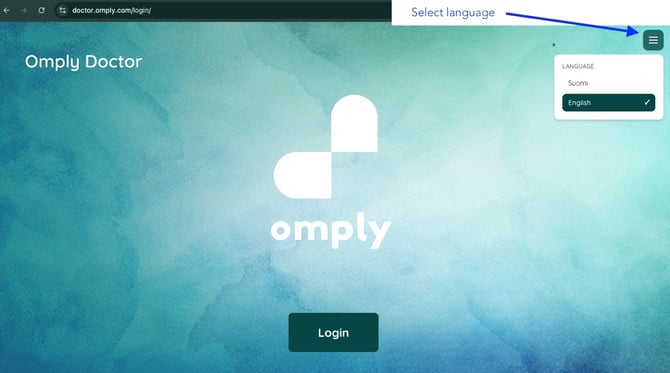 You can change your language preference at any time from top right corner from hamburger menu.
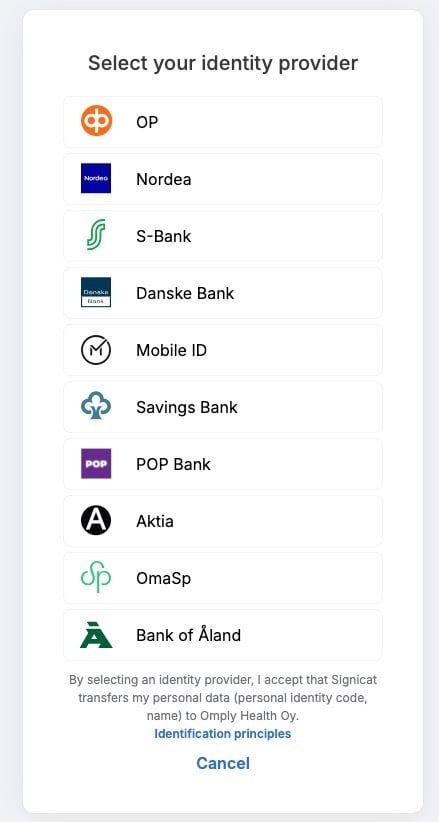
2. Click “Login” (also when registering you account) and use your bank credentials to log-in
3. Fill all mandatory fields that are marked with (*) and click “Register”.
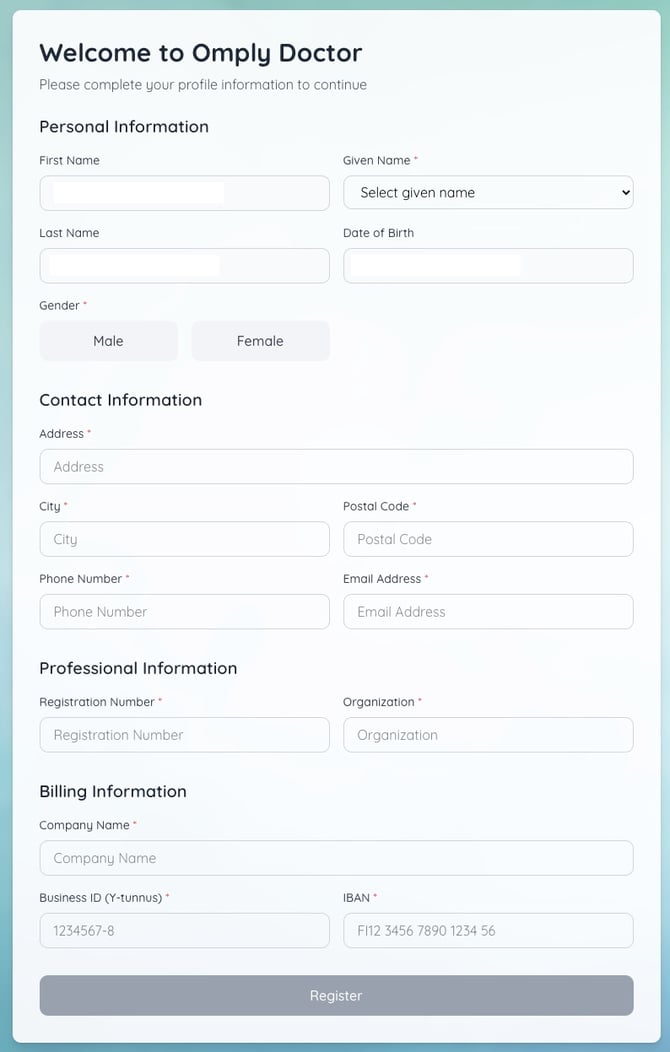
Notes regarding the information to be filled in:
-
Address information is for billing and communication purposes.
-
The registration number is your unique medical number.
-
The company name, business ID and IBAN information will be used for the settlement of medical fees. Please be careful when filling them out.
After registering, you will not be able to directly accept patients, but Omply processes each registration separately.
Next read how to manage your doctor profile in Omply Doctors view: https://support.omply.com/en/doctor-profile-management-in-omply